


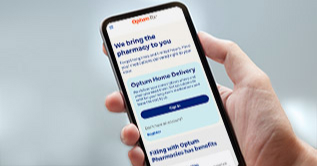


How to upload a receipt
You’ve recently made an eligible FSA purchase with your Optum Bank payment card.
In order to get your transaction approved, you must upload an itemized receipt or an explanation of benefits.
It’s easy to do!
Just make sure your receipt includes the following:
The name of the provider or merchant.
The exact amount of the expense.
The date of purchase – and –
A detailed description of the service or items purchased.
Be sure to take a picture of your receipt or Explanation of Benefits with your phone or scan the image and save it to your computer.
Now it’s time to upload!
On your mobile app or on the optumbank.com dashboard, you’ll see a message that says “Needs Your Attention.” Click on the link – and select “Add Receipt.”
If you’re on optumbank.com simply upload an image of the receipt from your computer. Then add your digital signature and click submit.
Or,
from the mobile app, open your photo library by tapping “+ Receipt” and upload the image.
Next: click “Save,” then use the back arrow to add the receipt and then hit “Submit.”
Here is a tip: If you have more than one receipt to attach to your claim, use the mobile app as it allows you to attach multiple receipts.
Most expense reviews are completed in 2-to-3 business days.
If there’s a problem, you’ll be notified by email or a letter in the mail, so, be sure your contact information is up to date. You can make changes on the mobile app as well as optumbank.com.
[Optum Bank logo]
Flexible spending accounts (FSAs) are administered by OptumHealth Financial Services and are subject to eligibility and restrictions. Federal and state laws and regulations are subject to change.
© 2019 Optum Bank, Inc. All rights reserved. 83936-052019
Learn about how to upload a receipt
You’ve recently made an eligible purchase with your Optum Bank payment card. In order to verify your transaction, you may be asked to upload an itemized receipt or an explanation of benefits. It’s easy to do. Just make sure your receipt includes the following:
- The date of the purchase
- The exact amount of the expense
- The name of the provider or merchant
- The name of the person who received the care
- A detailed description of the service or items purchased